go-models - Platform redesign
Redesigning the public website and workspace for models and clients looking for talent.

Project Overview
go-models connects models with clients looking for talent. As the sole UX/UI designer at Itellico, I delivered a redesign of the public website and logged-in workspace, covering existing and planned features. I also coordinated development tasks, reviewed implementation and tested completed work.
The Challenge
The public website needed a visual refresh and clearer marketing communication. In the workspace, key tools were hidden in dropdowns, while applying for a job started a chat. I needed to reorganise these tasks for models and clients while accommodating planned features.
Designs delivered in January 2026. Implementation was incomplete when my involvement ended in March 2026.
01
Design decision
Model & client workspaces
Two audiences, one platform
The redesign supports two connected roles: models looking for opportunities and clients looking for talent. Each workspace reflects its users’ priorities while sharing a common structure.


Shared structure, different priorities
I used a shared layout and component set for both workspaces, adapting navigation, content and module priorities to each role. This kept the platform consistent while supporting different ways of finding work and hiring talent.
02
Design decision
Public website & registration
Finding the right way in
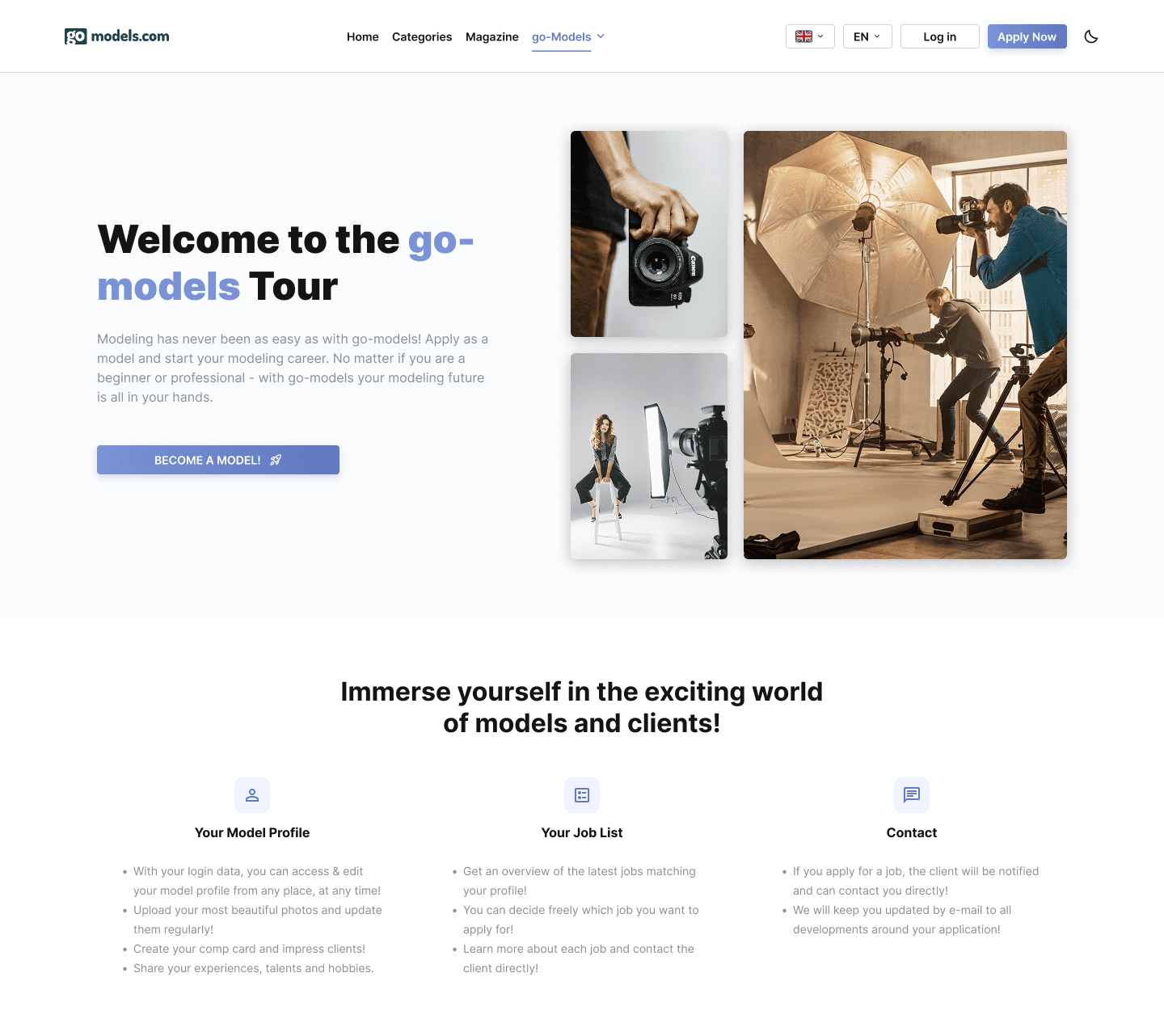
I refreshed and reorganised the public pages around shared layouts and content tailored to models and clients. I also redesigned the application flow with dedicated pages, clearer choices and a more visible progress indicator.

A more structured registration flow
Hotjar recordings showed that the original registration popup sometimes failed to open. I replaced it with dedicated pages and clarified role selection, progress and photo upload. Additional profile details sit in an optional step after submission, keeping them outside the initial application.
The flow was refined through team feedback and limited prototype testing.
Choose your role

Model and client cards explain each path. The selected role determines the fields shown in the form.
See your progress

The photo step combines a visible progress indicator with a dedicated drag-and-drop upload area.
Add optional details

The account is registered and awaiting verification. This form is optional and does not affect registration.
Selected screens from the model application flow.
From interest to application
The aim was to connect a clearer offer for each audience with a more structured application process. For models, completing registration submitted an application for verification; platform access followed review, a phone conversation and subscription payment.
03
Design decision
Dashboard & personalisation
A starting point for each role
The previous interface placed key tools inside dropdown menus. I introduced a persistent sidebar and a dashboard that brings progress, activity and next actions together, with content tailored to each role and controls for adjusting the layout.

For models
Profile readiness and next steps
Profile and CompCard completion, together with Academy activity, contributed to a model’s visibility. I placed these progress indicators at the top to highlight what still needed attention.
Messages, invitations and matching jobs bring everyday activity into one overview below. Job listings retain the platform’s existing matching rules.
For clients
Activity that calls for action
I tailored the top summaries to profile completion and clients’ jobs and contests. “Attention needed” flags new applications or ended submission periods requiring a response.
Cards reflect required actions or confirm that none are needed. Messages, model previews and posted jobs provide direct routes to everyday tasks.


Personalisation
A dashboard users can arrange
I added dashboard settings for both roles, letting users hide the top summaries and reorder sections to suit their priorities.
A useful default, room to adapt
The aim was to provide a useful starting point for each role: show what needs attention, keep the main tools accessible, and let users choose the order of information while preserving consistent navigation and components.
04
Design decision
Applications & job management
From application to review
Applying previously started a chat, while job details, responses and messages were spread across separate areas. I separated applications from conversations and organised client tasks around each offer, with a dedicated page for reviewing candidates.


The job as a shared context
The aim was to keep both roles anchored to the same offer, while giving application, conversation and candidate review distinct purposes and clear entry points.
05
Design decision
Responsive UI & shared components
Shared patterns across screen sizes
I built a shared set of components, styles and variables from scratch. Configurable cards, controls and navigation support different tasks and screen sizes, with colour themes applied across the platform.
Key tasks on smaller screens
On mobile, I placed Dashboard, Academy, Contests and Jobs in a bottom navigation bar, keeping messages and invitations in the header. Other navigation and tools sit in an expandable menu.
Cards retain their structure, while tabs place icons above labels. The application form uses a single-column layout, direct file selection and a prominent Send Application button below the fields.
One interface, two themes
Dark mode was required across the platform. I used primitive and semantic colour variables to adapt colours within the same components.
Light

Dark

Apply

The job list in light and dark mode, alongside the mobile application form.
Familiar patterns, adapted to the task
The aim was to make repeated actions recognisable as users moved between tasks, screen sizes and colour themes. Configurable components supported those shared patterns, while navigation and tab layouts adapted to the space available.


06
Project summary
Delivery & learnings
What I handed over and what I’d refine
Delivered
I delivered complete designs for the public website, model and client workspaces, and magazine, with responsive layouts and reusable components. I also coordinated development tasks and reviewed implementation. When my involvement ended in March 2026, the public website had been implemented, while the logged-in platform was still in development.
Feedback
Feedback from the platform owner and team was positive throughout the design process. They liked the overall direction of the redesign, including the proposed improvements, new features and visual style. I used their comments to make small adjustments along the way, refining individual details as the designs developed.
Looking back
I would explore a more regular layout for candidate review, with consistent image areas and aligned details and actions. Testing it against the current layout would help assess how each supports comparison and selection while keeping photography central.